5.4.2 Call analysis
You are in a phone call. You would like to have the information from the call summarized after the call.
Ensure that you inform the person you are talking to that the call is being recorded and ask for their consent. For more information on data protection, see 5.5 Data Protection & AI Model Usage. Please also comply with the policies of your company and the data privacy laws of your country.
Shomi Personal Assistant securely records, analyses, and provides summaries and transcriptions for calls with a duration of up to 120 minutes. For longer calls, recordings and analysis results may be incomplete or unavailable.
To let Shomi analyse a call
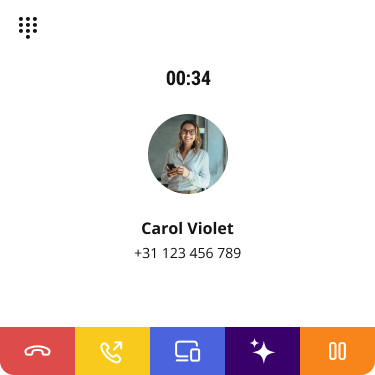
 Both parties hear the announcement, that the call recording has started. This may vary depending on the settings and country.Both parties hear a beep, to signal that the call recording has stopped.
 Shomi shows a call summary and asks you how you want to process the summary.
Command | Explanation |
|---|---|
Extended summary | Shomi gives you a more detailed call summary. |
Translate | Shomi translates the call summary. Choose the language you want the call summary translated to. |
E-Mail | Shomi will send you the call summary via email. |
Action Points | Shomi will summarize the call in action points |
Shomi will answer you in a chat message.Call summary actions
In addition to the suggestions Shomi offers, you can work directly with the call summary.
To edit the call summary
Your changes are saved and Shomi sends the edited version of the call analysis to the chat.To share the call summary
 SEND TO CRM The call summary will be send directly to your linked CRM tool, including all call information.
This functionality is available with the CRM integration and Contact Connect add-on.
EMAIL The call summary will be send to your email address.CANCEL The sharing process is cancelled and no data is sent. To copy the call summary
The call analyses is copied to your clipboard. You can now paste the text into any application.The Shomi - Personal Assistant feature is currently under further development. Upcoming improvements may be deployed automatically. Please stay tuned for further enhancements.