2.5.4 Call history
To open the call list, click . The call list provides an overview of your calls. All missed, received, outgoing calls, received voicemails forwards are displayed.
|
Symbol
|
Explanation
|
|---|---|
|
Missed call
|
|
|
Received call
|
|
|
Outgoing call
|
|
|
New voicemail
|
|
|
Voicemail
|
|
|
Shomi call summary or transcription
|
|
|
Answered call after forwarding
|
|
|
Unanswered call after forwarding
|
Click on the profile picture of an entry to view the contact's user profile and to start a call.
Search bar
In the search bar of the Call History, you can search by name and phone number. The search query is remembered when you navigate between the tabs.
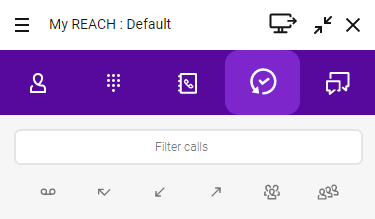
You can also filter the entries according to various criteria.
 Activate to show all Voicemails. Activate to show all missed calls.Activate to show all received calls.Activate to show all outgoing calls.Activate to show all inbound group calls.Activate to show all calls offered to a queue.
Voicemails
The Call History provides access to your voicemails. You can select individual messages to listen to or remove them.
To listen to your Voicemails
 The Call History opens. All voicemails are displayed.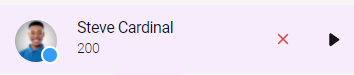
Unresolved phone numbers
You can add contact details to an unresolved phone number in your Call History and add the contact to your Personal Contacts.
To add contact information to an unresolved phone number from the Call History
The Call History opens.The newly created contact will be added to your Personal Contacts.The execution of the action may take some time.
Forwarded calls
The call history displays information about forwards. If you have activated call forwarding and an incoming call is forwarded, an entry appears in the call list.
Example: Rachel Green called you. You have active forward to Daniel Navy. The call is forwarded. Daniel Navy answered the call :

Example: Rachel Green called you. You have active forward to Daniel Navy. The call is forwarded. Daniel Navy did not answer the call :
